Now through October 31, we're waiving application fees for all freshman and transfer applicants!
*Common app code: Central27
Adobe Digital Lounge
The Adobe Digital Lounge is a collaborative and inventive space here to elevate your creativity.
Hours & services

Stop by in person during our staffed hours, or set up a virtual/in-person appointment via email.
Need help with an Adobe Express assignment, learning a specific feature in Premiere Pro, or deciding whether to design your logo in Photoshop or Illustrator? Our trained Creativity Consultants can assist you with all of your Adobe software questions.
Fall 2026 Staffed Hours:
| Sunday: | 12-5 PM |
| Monday: | 10- 11:30 AM & 4-8 PM |
| Tuesday: | 4-9 PM |
| Wednesday: | 2-8 PM |
| Thursday: | 5-8 PM |
| Friday: | 10 AM- 5 PM |
See our equipment
In partnership with the Adobe Digital Lounge, CMU Libraries checks out a variety of equipment that you can use for free on your next creative project
Available for checkout at the 2nd Floor Library Services Desk:
- Canon Rebel T7 DSLR Camera
- Insta360 Smartphone Gimbal
- Wireless clip-on Mini Mics
- Tripods/selfie sticks
- And more!
Reservable spaces
Sound recording booth
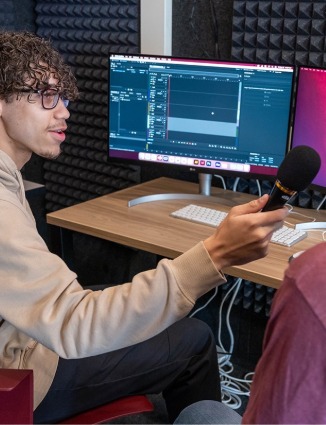
Reserve the Sound Recording Booth in the Adobe Digital Lounge to record a podcast, a voiceover, or other audio recordings. You can also mix audio/music tracks using a variety of creative equipment.
For use in the Sound Recording Booth:
- Audio/video equipment (available for checkout from the 2nd Floor Library Services desk)
- Microphones
- Audio Interface
- Ring Lights
- Tripods (standing or table tripod available)
- Webcam
- Music equipment (available for checkout from the 2nd Floor Library Services desk)
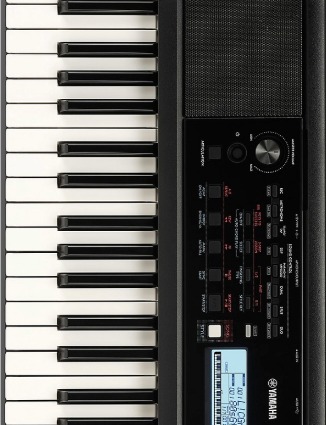
- Yamaha 61-key electric keyboard
- Novation Mini MIDI keyboard controller
- Video/audio editing station (located inside the booth)
- Editing programs include: Audacity, Adobe Audition, GarageBand, & Adobe Premiere Pro.
Wacom graphics tablets
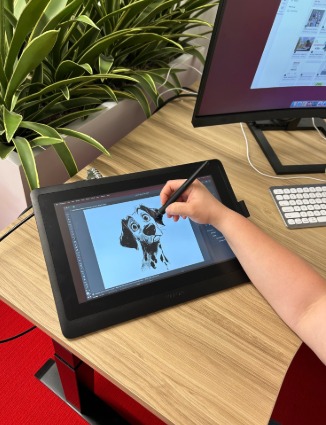
Two Wacom Cintiq 16 Pro Graphic Tablets are available for use in the Adobe Digital Lounge. These tablets can be used to draw or paint digitally with a graphic pen directly into an Adobe program or other creative software.
- Reserve a work session with one of the tablets here.
- Stop by the 2nd Floor Library Checkout desk to check out the Wacom Graphics Pen to use with the tablet (4-hour checkout).
Green screen room
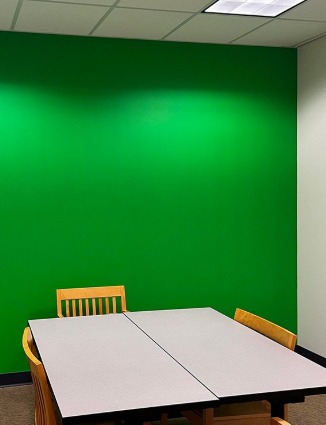
Room 213, located just outside the Adobe Digital Lounge, has a professionally-lit green wall that provides the perfect creative backdrop for video production.
For use in the Green Screen Room:
- Nanlite remote (available for checkout from the 2nd Floor Library Services desk)
- Video equipment (available for checkout from the 2nd Floor Library Services desk)
- Tripods (standing or table tripod available)
- Canon Rebel T7 DSLR Camera
- Webcam
- Wireless clip-on Mini Mic