Share on Social
For left side bar only.
Place social media share buttons on your page with the ShareOnSocialLinks widget. Give users an opportunity to share your page on social media.
If you want to include buttons to link to your social media sites instead of sharing the current page, you can use the Social Media Buttons widget.
Share on social widget example
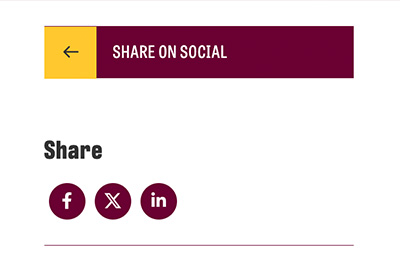
Visual demo
Widget standards
- A layout is NOT needed for this widget.
- This widget must be in section
Do:
- Use this widget in the left sidebar, under the page navigation.
- Use this widget to easily allow your page and information to be shared on social media.
Do NOT:
- Modify the widget, it is set up exactly as it needs to perform correctly.
- Use more than once on a page.
- Place this widget anywhere other than the left navigation bar.
Written instructions
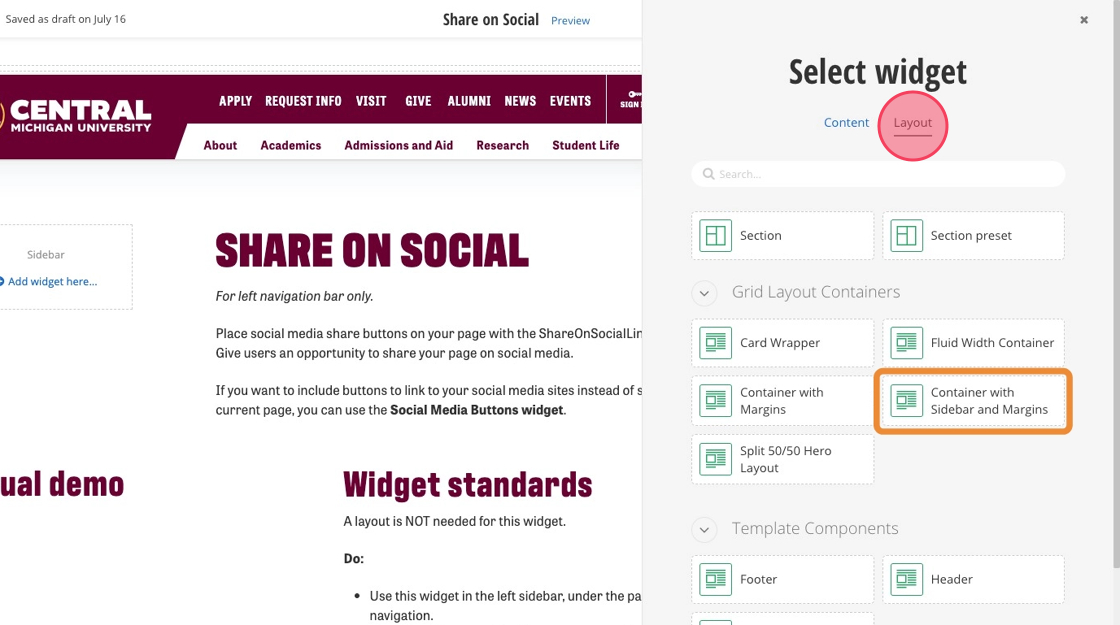
1. Before getting started, ensure your page has a "Container with Sidebar and Margins". You can find this by clicking "Layout" in the side widget selection.
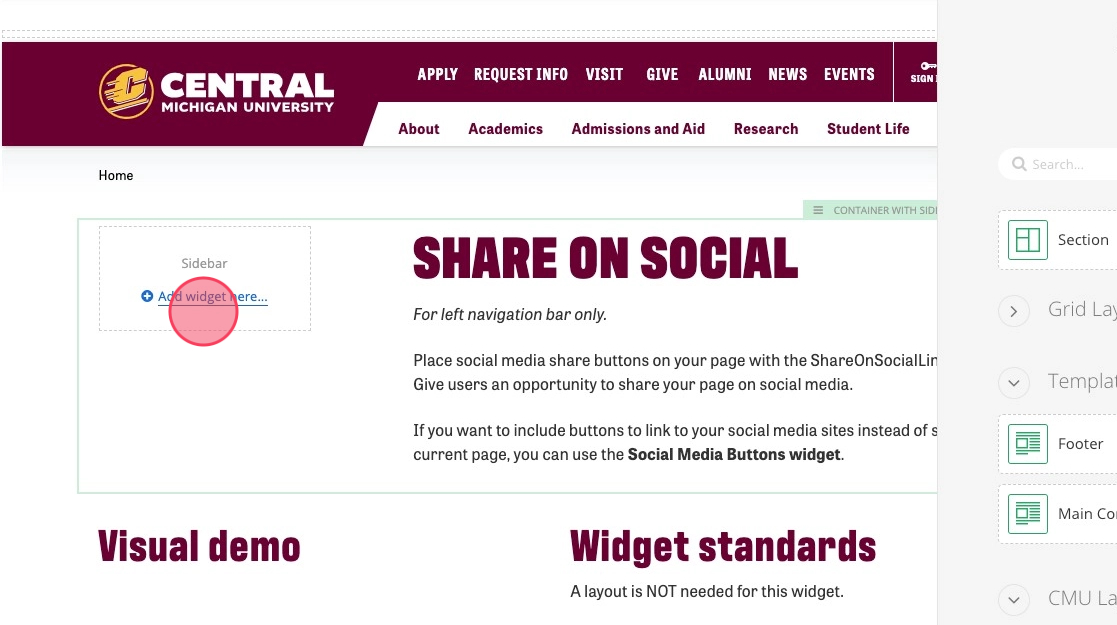
2. Click "Add widget here..."
3. Click "Share On Social Links".
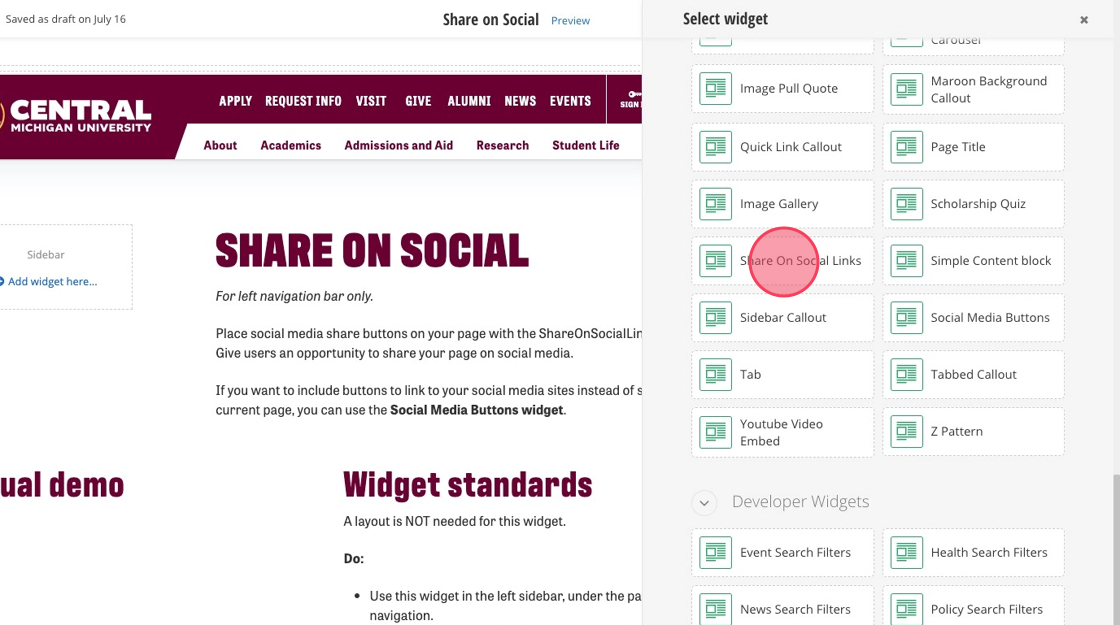
Note: You do not need to configure or connect any social media channels. Once the widget is added to the page, you’re all set.
Save and send
- If you'd like to continue working on this page, but need to save your progress, click Save as Draft.
- If you're finished making changes to the page, and the page is ready for review, click Send for Approval.
